
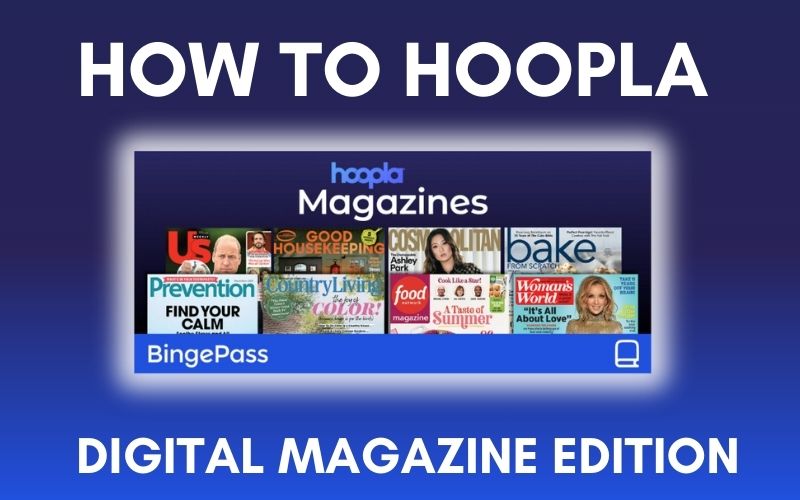
As of March 2026, digital magazines are now available solely in Hoopla. As a part of this change, Flipster will be removed from our digital resources.
Hoopla’s BingePass offers instant access to more than 100 popular magazines, all available online and free with your library card! With a selection including celebrity news, fashion trends, health tips, and lifestyle inspiration, Hoopla’s Magazine BingePass opens a whole world of magazines without the cost (and clutter). In addition to 100+ popular titles, many of the magazines on Hoopla’s BingePass include up to 5 back issues so you can get caught up. The best part? A BingePass allows you to indulge in many titles while only using one (1) of your allotted ten (10) Hoopla borrows per month. Ready to get started? Read below for a step-by-step guide on how to hoopla: digital magazine edition.
Access Hoopla by visiting our website’s Online Resources page, the Hoopla app, or hoopladigital.com. Don’t have a hoopla account? Set one up with your library barcode number and pin number.
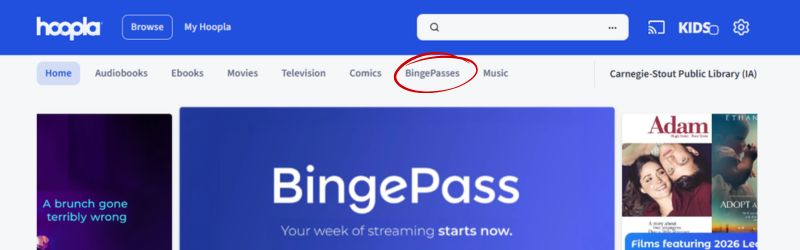
When on the Hoopla homepage, find and click on “BingePasses” along the top.
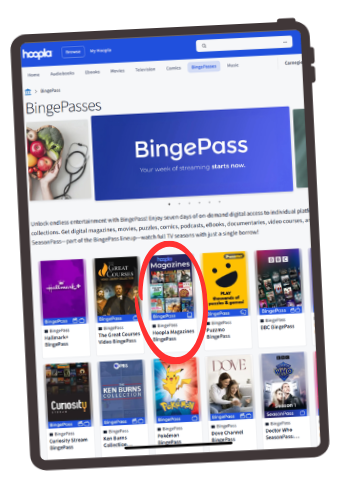
Click on the image “Hoopla Magazines BingePass”, as shown circled in the photo on the left.
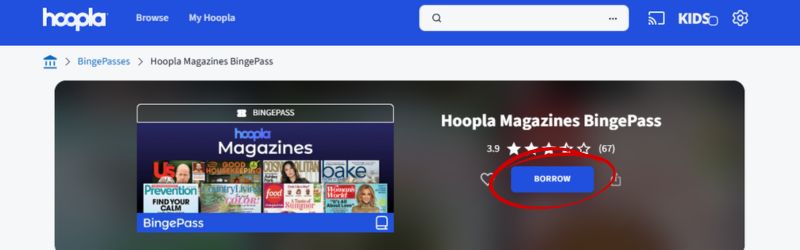
Click the “BORROW” button, shown circled above.
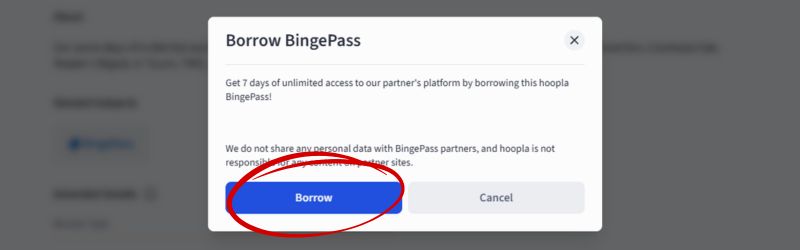
A pop-up will appear to confirm borrowing that you would like to borrow the BingePass. Click “BORROW” to continue, or cancel if you would not like to use one (1) of your ten (10) borrows per month.
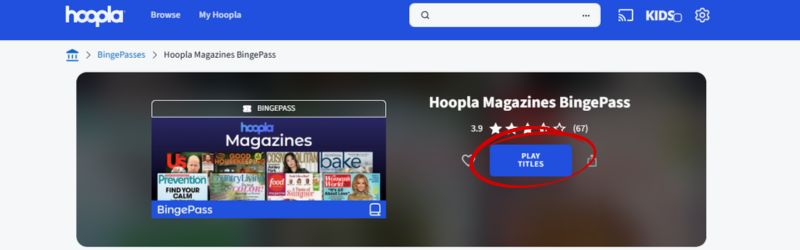
Select “PLAY TITLES” to continue.
Enjoy seven (7) days of unlimited access to the collection. Click on a magazine cover to view the most recent issue, or select “View Issues” below each cover for the most recent back issues.
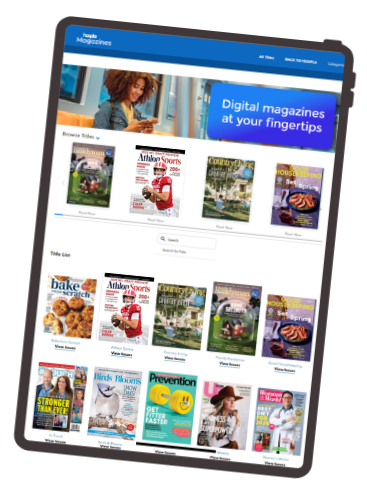
Tips for enjoying your BingePass:
- You can jump between issues and titles anytime while the BingePass is checked out.
- Hoopla works on phones, tablets and computers, so you can read wherever you are.
- If your BingePass expires before you’re finished, simply borrow it again to continue reading.
- Remember – each BingePass counts as only one borrow, so you can get the most of your ten monthly Hoopla borrows!
Need extra help navigating Hoopla? Email yourlibrarian@carnegiestout.org or call 563-589-4225 and ask for the Reference Desk.